In the rapidly evolving landscape of productivity tools, few applications have managed to capture the imagination of professionals, students, and entrepreneurs quite like Notion. As we navigate through 2025, this Swiss Army knife of productivity has evolved far beyond its humble beginnings as a simple note-taking app, transforming into a comprehensive workspace that seamlessly integrates artificial intelligence, advanced database functionality, and intuitive design to create what many consider the ultimate productivity solution.
What Makes Notion the Productivity Game-Changer of 2025
Notion stands out in the crowded productivity tool market by offering something most applications struggle to achieve: true versatility without sacrificing depth. Unlike specialized tools that excel in one area but fall short in others, Notion provides a unified platform where you can write, plan, organize, collaborate, and automate virtually every aspect of your work and personal life.
The platform’s block-based system allows users to construct custom workflows by combining different content types – from simple text and images to complex databases, calendars, and kanban boards – all within a single, cohesive interface. This flexibility has made it the go-to choice for remote teams, creative professionals, project managers, and anyone seeking to consolidate their digital workspace.
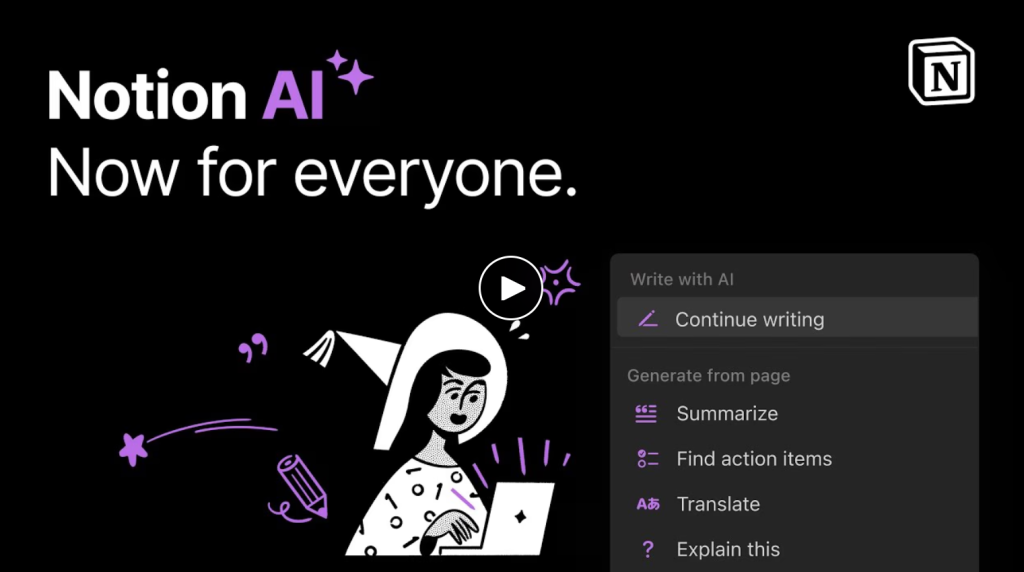
What truly sets Notion apart in 2025 is its sophisticated AI integration. The introduction of Notion AI has transformed how users interact with their content, offering intelligent writing assistance, automated data analysis, and smart content generation that adapts to individual working styles and preferences.
Key Features That Define Modern Productivity
Advanced Database Functionality
Notion’s database system represents one of its most powerful features, allowing users to create sophisticated information management systems without requiring technical expertise. These databases can store and organize virtually any type of information – from project timelines and client details to reading lists and habit trackers.
The beauty of Notion’s databases lies in their versatility. A single database can be viewed in multiple formats: as a traditional table, a kanban board for project management, a calendar for scheduling, or a gallery for visual organization. This multi-view capability means you can adapt your data presentation to match your current needs without restructuring your underlying information.
AI-Powered Intelligence
The integration of artificial intelligence throughout Notion has revolutionized productivity workflows in 2025. Notion AI serves as an intelligent writing companion, helping users draft content, summarize lengthy documents, generate creative ideas, and even translate text between languages. The AI can analyze your existing content to suggest relevant connections, identify patterns in your data, and automate routine tasks.
For content creators and marketers, Notion AI has become particularly valuable for generating blog post outlines, social media content, and marketing copy that maintains consistency with brand voice and messaging. The AI learns from your writing style and preferences, becoming more effective over time at producing content that matches your unique voice.
Seamless Collaboration Tools
Modern work demands seamless collaboration, and Notion delivers with real-time editing capabilities, granular permission controls, and integrated commenting systems. Team members can work simultaneously on documents, leave feedback directly on specific blocks of content, and track changes with detailed revision history.
The platform’s sharing capabilities extend beyond simple document sharing. Entire workspaces can be made public, creating powerful knowledge bases, portfolios, or project showcases that update automatically as content changes. This has made Notion particularly popular among consultants, agencies, and creative professionals who need to present their work to clients in a polished, professional format.
Real-World Applications: How Professionals Are Using Notion in 2025
Project Management and Team Coordination
Modern project managers are leveraging Notion’s flexibility to create comprehensive project management systems that rival dedicated tools like Asana or Monday.com. By combining databases, templates, and automation rules, teams can track project progress, manage resources, monitor deadlines, and maintain clear communication channels all within a single workspace.
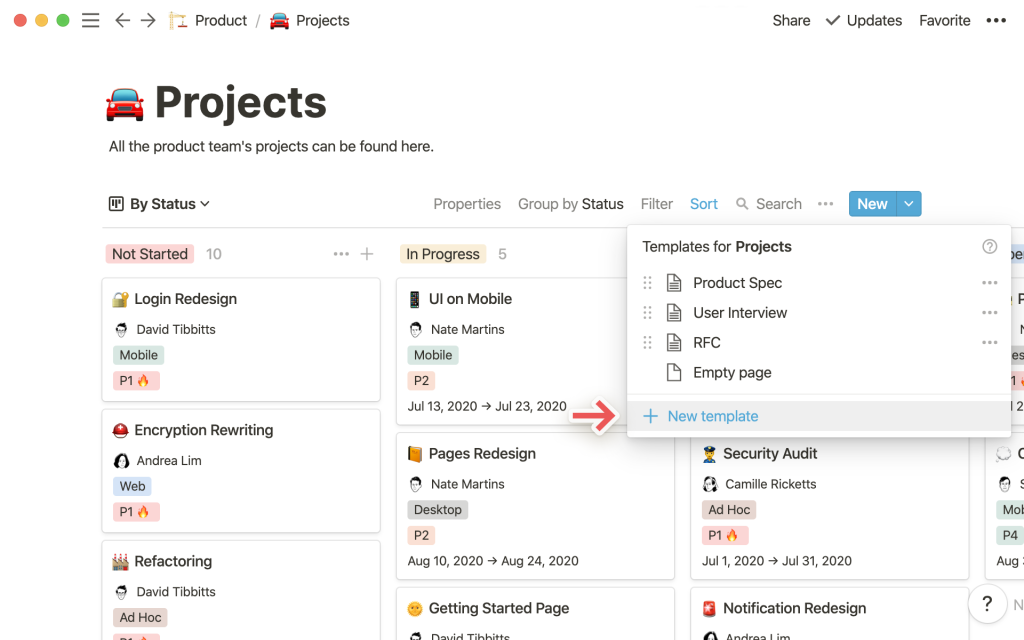
One particularly effective approach involves creating interconnected databases for projects, tasks, team members, and clients. This allows for sophisticated filtering and sorting that provides different stakeholders with precisely the information they need, when they need it. Project managers can quickly generate status reports, team members can focus on their assigned tasks, and clients can access relevant project updates without being overwhelmed by unnecessary details.
Content Creation and Marketing
Content creators and marketing teams have discovered that Notion excels as a content management system. The platform’s ability to combine planning, writing, research, and publication tracking in a unified environment has streamlined content workflows significantly.
Many successful content creators use Notion to maintain editorial calendars, research repositories, and content templates that ensure consistency across all their publications. The AI features have proven particularly valuable for generating content ideas, creating outlines, and even drafting initial versions of articles and social media posts.
Personal Knowledge Management
The concept of building a “second brain” has gained tremendous popularity, and Notion has emerged as one of the premier tools for personal knowledge management. Users create sophisticated systems for capturing, organizing, and connecting information from various sources, creating a personalized knowledge base that grows more valuable over time.
This approach involves creating databases for books, articles, courses, and other learning resources, with tags and connections that reveal patterns and relationships between different pieces of information. The AI features enhance this process by suggesting relevant connections and helping synthesize information across different sources.
Setting Up Notion for Maximum Productivity
Getting Started: The Foundation
Success with Notion begins with understanding its core philosophy: start simple and gradually add complexity. New users often make the mistake of trying to create elaborate systems immediately, leading to overwhelm and abandonment. Instead, begin with basic pages for your most essential needs and expand gradually as you become more comfortable with the platform.
The key is identifying your primary use cases before diving into setup. Are you primarily using Notion for personal organization, team collaboration, project management, or content creation? Your answer will guide the initial structure of your workspace and help you choose appropriate templates to accelerate your setup process.
Templates and Customization
Notion’s template ecosystem has exploded in 2025, with thousands of pre-built solutions available for virtually every conceivable use case. While templates provide excellent starting points, the real power comes from customization. The most effective Notion users adapt templates to match their specific workflows rather than forcing their processes to fit rigid template structures.
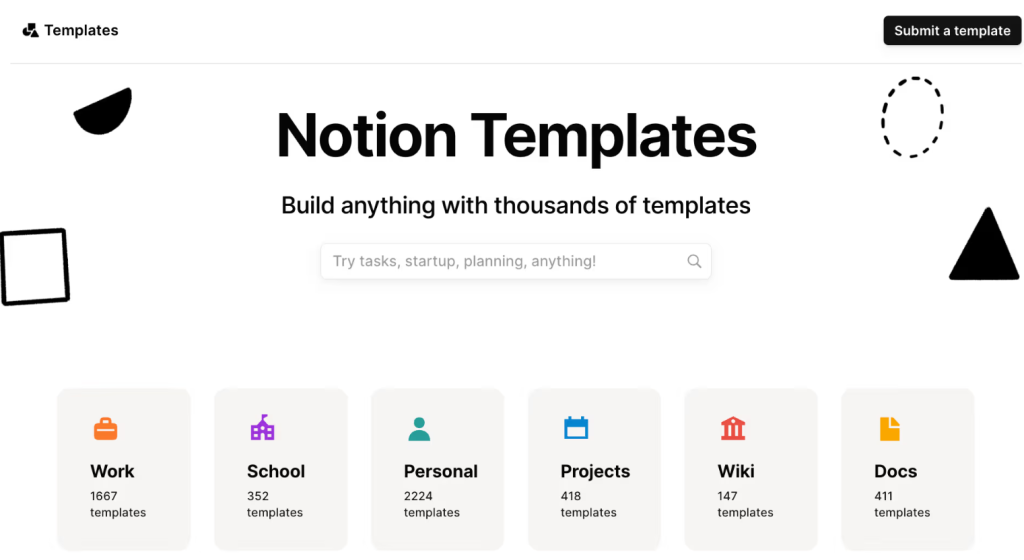
Popular template categories include habit trackers, goal planning systems, content calendars, CRM systems, and project management dashboards. However, the most successful implementations often combine elements from multiple templates to create truly personalized productivity systems.
Integration and Automation
Notion’s integration capabilities have expanded significantly, allowing connection with popular tools like Slack, Google Calendar, Figma, and hundreds of other applications through platforms like Zapier and Make. These integrations enable automated workflows that reduce manual data entry and ensure information stays synchronized across different platforms.
For example, many teams automate the creation of Notion pages from Slack messages, sync calendar events with project timelines, or automatically update client databases when new leads are captured through forms or CRM systems.
Advanced Strategies for Power Users
Database Relations and Formulas
Advanced Notion users leverage the platform’s relational database capabilities to create sophisticated information systems. By establishing relationships between different databases, you can create dynamic systems where changes in one area automatically impact related information throughout your workspace.
Formulas add another layer of power, enabling automatic calculations, status updates, and data transformations. Common formula applications include progress tracking, deadline calculations, budget management, and performance metrics that update automatically based on underlying data changes.
Automation with Notion AI
The AI features in Notion extend beyond simple content generation to include sophisticated automation capabilities. Users can create AI-powered workflows that analyze data patterns, generate reports, and even make recommendations based on historical information.
For instance, content creators might set up AI workflows that analyze their most successful posts to identify patterns and suggest optimal posting strategies. Project managers could use AI to predict potential bottlenecks based on historical project data and team performance metrics.
Overcoming Common Challenges
Managing Complexity
While Notion’s flexibility is its greatest strength, it can also become a weakness if not managed carefully. As workspaces grow and evolve, they can become unwieldy and difficult to navigate. Successful long-term users establish clear organizational principles and regularly audit their systems to remove unnecessary complexity.
The key is maintaining a balance between functionality and simplicity. Regular cleanup sessions, clear naming conventions, and thoughtful information architecture help prevent Notion workspaces from becoming digital junk drawers.
Performance Optimization
As Notion workspaces grow larger and more complex, performance can occasionally become an issue. Users working with extensive databases or media-heavy content may notice slower loading times. However, several strategies can help maintain optimal performance, including strategic use of sub-pages, optimized database structures, and mindful media management.
The Future of Productivity with Notion
As we look toward the remainder of 2025 and beyond, Notion continues to evolve rapidly. The platform’s commitment to AI integration, enhanced collaboration features, and expanded automation capabilities positions it as a central hub for the increasingly complex demands of modern work.
The trend toward remote and hybrid work has only accelerated Notion’s adoption, as teams seek tools that provide flexibility without sacrificing functionality. The platform’s ability to serve as both a personal productivity system and a collaborative workspace makes it uniquely suited to address the diverse needs of modern professionals.
Conclusion: Why Notion Remains Essential in 2025
In an era where productivity tools proliferate at an unprecedented pace, Notion has distinguished itself by refusing to compromise on versatility while continuously enhancing its capabilities. The platform’s success lies not in doing one thing perfectly, but in doing many things exceptionally well while maintaining an intuitive, user-friendly experience.
For individuals and teams seeking to consolidate their digital workflows, reduce tool switching, and create truly customized productivity systems, Notion represents one of the most compelling options available. Its combination of powerful features, AI integration, and endless customization possibilities ensures that it remains not just relevant, but essential for anyone serious about optimizing their productivity in 2025 and beyond.
Whether you’re a solo entrepreneur managing multiple projects, a content creator building an audience, or a team leader coordinating complex initiatives, Notion provides the flexibility and power needed to transform chaotic workflows into streamlined, efficient systems that adapt to your changing needs. In the rapidly evolving world of productivity tools, Notion stands as a testament to the power of thoughtful design, user-centric development, and the endless possibilities that emerge when technology truly serves human creativity and ambition.